Build a branded Notion client portal clients actually love using.
Portalwith turns your Notion databases into a secure, on-brand client portal with logins, navigation, and permissions. Keep projects, invoices, updates, and files in one clean place — no messy share links.
Setup time
Under 15 minutes
Branding
Custom domain & theme
Security
Role-based visibility
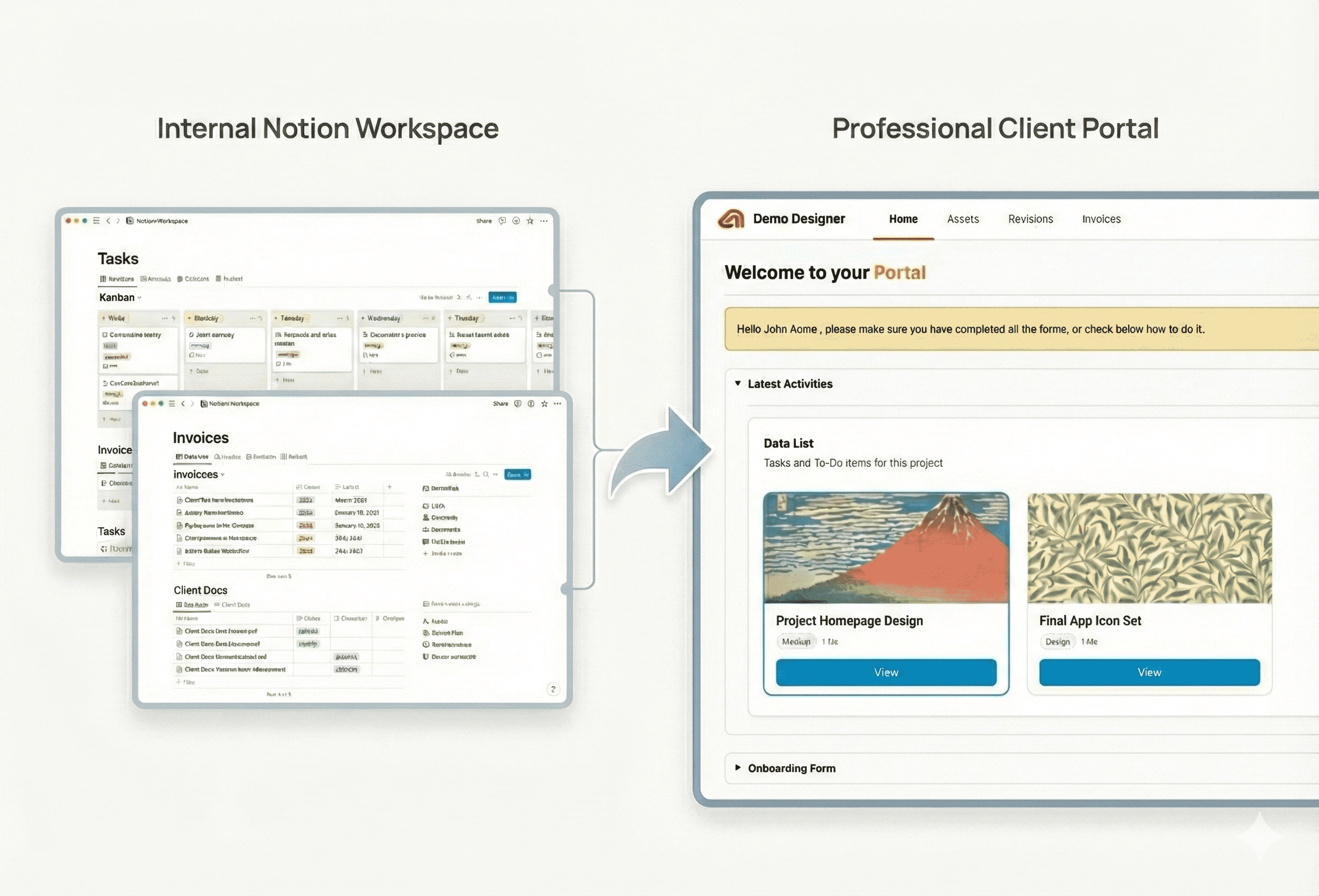
- One branded link for projects, invoices, files, and updates.
- Role-based visibility hides internal fields while clients stay informed.
- Templates + magic links = launch in minutes, not weeks.
- Best when your team already runs work from Notion databases.
- For heavy custom dev or on-prem, consider your security constraints.
- Keep a “visibility” flag in Notion to avoid oversharing.
Why a Notion client portal beats scattered links
Clients expect a single, trustworthy place to check progress, find files, and pay invoices. Portalwith gives you a polished client portal that still runs on your Notion data model.
Your logo, domain, and theme on a clean login screen.
Projects, invoices, files, Looms, timelines, and docs — all in one portal.
Clients only see what matters. Internal fields stay hidden.
Updates from your Notion databases flow to the portal instantly.
Spin up new portals from templates for onboarding and renewals.
Loom, Figma, PDFs, and timeline views without breaking context.
Who this is for
Share scopes, approvals, design assets, and status without endless email threads.
House sessions, deliverables, invoices, and next steps in one portal that feels premium.
Spin up new client portals from templates, keep operations consistent, and scale without chaos.
Provide a customer-facing hub for onboarding, QBRs, roadmaps, and support links.
- A single link to check status, files, and next steps.
- Only the content that's meant for them.
- A branded experience that feels professional.
- Notion as the source of truth — no new workflow.
- Control over visibility and sensitive fields.
- Faster launches with templates and automation.
Launch in 3 steps
Link your workspace and choose the databases you want to expose.
Pick a template, add your logo, colors, and custom domain.
Share magic links or passwords — no Notion account required.
FAQs about Notion client portals
Turn your Notion workspace into a client-ready portal
Keep the tools you love, add the polish your clients expect. Launch a Notion client portal with Portalwith today.
2-week free trial · No credit card · Notion-native