5 Notion Database Properties Every Client Portal Needs
The right database properties make a Notion client portal feel clean, trustworthy, and easy to follow. These five keep everything filterable, secure, and client-ready.
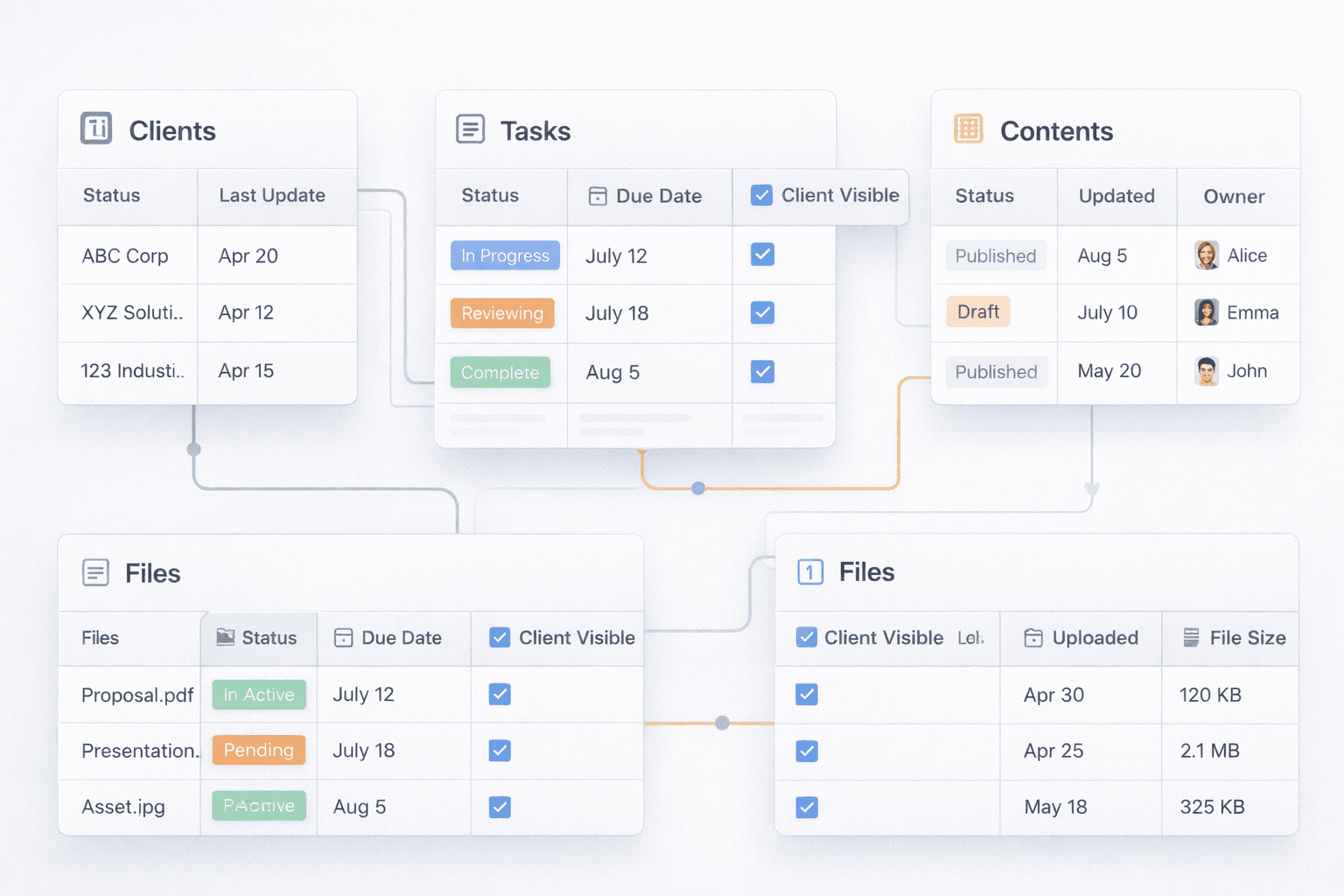
When clients see the wrong tasks—or can't find the next milestone—confidence drops fast. A consistent property setup fixes that by powering every view, summary, and filter in your Notion portal.
Tags every record to a client so you can filter views and avoid cross-client leaks.
Keeps clients oriented: Not Started, In Progress, Blocked, Done. Use colors that match your brand.
Feeds timelines and reminders. Show the next milestone prominently in the portal.
Gives clients a clear point of contact. Pair with an avatar for trust.
A safety gate to prevent accidental exposure. Only items marked client-visible get published.
Keep clients focused with visibility rules
A simple Visibility flag prevents internal notes from leaking. Publish only the blocks that meet two filters: the right client and visibility set to true. Combine it with a curated navigation so clients never feel lost.
Templates for repeatability
Turn your best structure into a template: prefill status options, default owners, and hidden properties. This keeps every new client portal aligned and reduces setup time.
Practical tips
- Hide internal fields (budget, margin, internal notes) from client views.
- Use saved filters like Visibility = Client and Client = [Name] to avoid mistakes.
- Create templates that prefill properties to keep every client consistent.
- Add rollups to surface next milestone and risks into a summary block.
Ready for a polished client portal?
Portalwith takes these exact properties and turns them into a branded, secure portal with navigation, permissions, and magic links—no extra setup required.
Ready for a polished client portal?
Portalwith takes these exact properties and turns them into a branded, secure portal with navigation, permissions, and magic links-no extra setup required.
2-week free trial • No credit card • Notion-native